

Copy code from a dataset
1
Open the dataset
Apply any filters for columns, entities or dates. The code includes them.
2
Copy the code
Click Download. Under Connect data, open Python and copy the code.
3
Run it
Paste it in a notebook. The first line,
!pip install alphacast, uses notebook syntax. In a script, remove that line and run pip install alphacast in your terminal.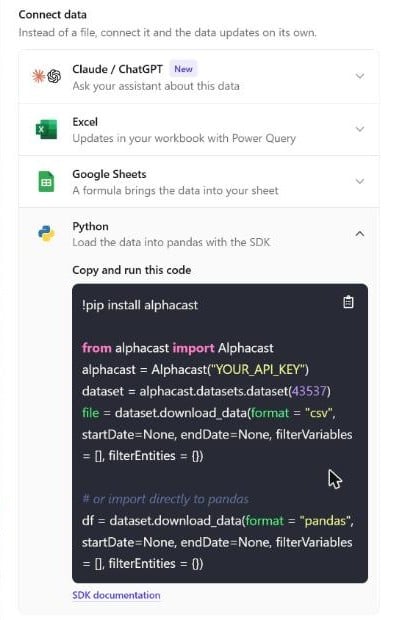
Write it yourself
Keep your API key out of your code. This example reads it from an environment variable.Access and limits
Your plan and repository permissions determine which data you get and how much you can download.Next steps
Python quickstart
Create, upload and download a dataset.
Download data
Filter by date, entity and column.
Search
Find datasets from code.
Upload data
Send DataFrames to Alphacast.