

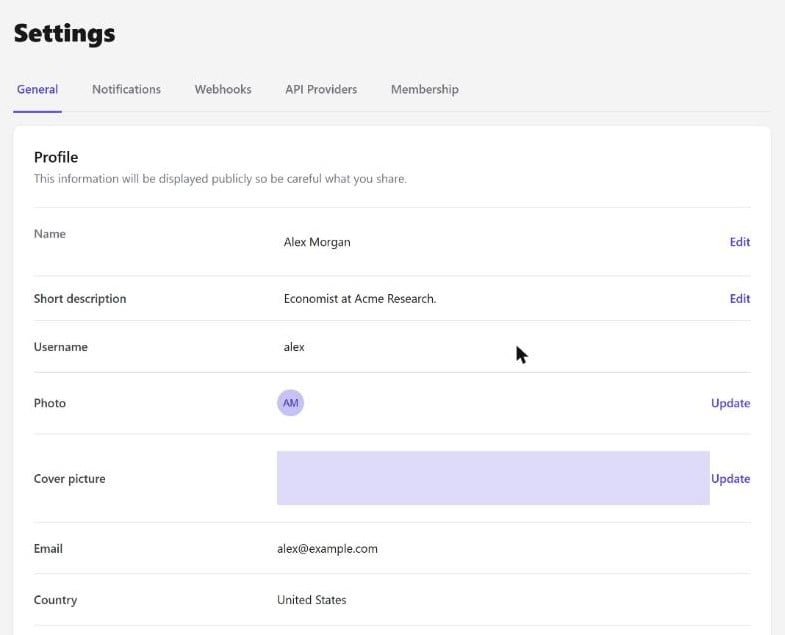
Edit your profile
In General, you can update your name, short description, photo and cover picture. Alphacast notes that profile information is displayed publicly, so be careful what you share. You can also add details such as your country, job title and company. Use Reset Password to change your password.Change the language
Under Language, choose English or Español, then click Update.Get or reset your API key
You use your API key with the REST API, the Python SDK and the local MCP server.1
Show the key
In General, find API Key and click Show Key.
2
Reset it if needed
Click Reset and confirm. Then update every place that used the old key.
Add keys for data providers
Some external providers in the API Explorer require or accept your own key. In API Providers:- Find the provider. Get key opens the provider’s site, when a link is available.
- Paste the key and click Save.
Membership and billing
Membership shows your current plan and usage. For your personal account, it can also show the next invoice, payment method and recent invoices. With a paid plan, click Manage billing to make changes.Next steps
Pricing
Compare plan features.
Connect
Use your data in other tools.