

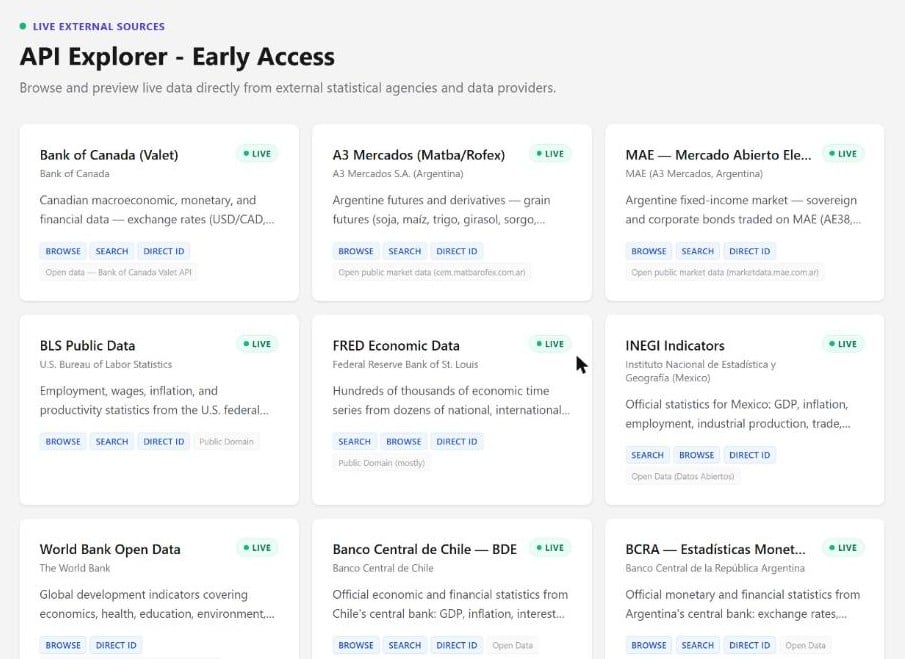
Find a series
1
Choose a provider
Each card has labels for how you can look for data, such as Search, Browse, or Direct ID.
2
Find the series
Use the options the provider supports:
- Search By Topic: enter words such as
inflationoremployment. - Browse: open folders and categories. Some data asks you to select dimensions first, then show the matching series.
- Open By Series ID: enter the provider’s ID if you know it.
3
Open it
The series page shows the series information, a data table, and a chart preview on wide screens.
Work with a series
Large series can load as a Partial preview. In that case, Download preview contains only the observations loaded. Narrow the filters for a complete result. Transform Data is unavailable while the preview is partial.
Add a provider API key
Some providers require your own key. For others, a key is optional and can raise rate limits. The provider page shows the key status.1
Open the key form
On the provider page, click Configure API key for higher limits, or Manage if you already added one. You can also open Settings and then API Providers.
2
Get a key
When a link to get a key is shown, use it to request one from the provider.
3
Save it
Paste the key and click Save Key (Save in Settings).
Limits
Availability, history, speed, and rate limits depend on each provider. A provider can be temporarily unavailable. Check each provider’s license before you reuse its data.Other ways to use providers
- Ask Alphacast AI with the All Alphacast scope. It can find and fetch data from external providers.
- Add the Fetch API Provider step to a pipeline.
- Use the providers API.
Next steps
Build a pipeline
Reshape a series and publish it as a dataset.
Explore the catalog
Check for a curated dataset first.